How to Find the Pantone TCX Code for Any HEX Color (and Why Your Factory Needs the Code, Not the HEX)
Md.shakibul islam Shawn
Author
You found the perfect navy on screen. Maybe you picked it from a mood board, a
customer's photo, or a color picker. Now you have a HEX code like #2B2D30 —
and your factory wants a Pantone TCX code.
This guide shows the simple three-step way designers get from a screen color
to a textile color code, and the one mistake that causes wrong lab dips.
Why HEX alone is not enough for production
A HEX code describes a color on a screen. Every monitor shows it a little
differently, and many fabric colors (deep navies, bright neons, rich reds)
cannot be shown on a screen at all.
A factory dyes fabric to a physical color standard. In fashion, the most
common one is the Pantone Fashion, Home + Interiors system — the codes that end
in TCX (cotton swatches) or TPX/TPG (paper swatches).
So the HEX is where you start. The TCX code is what you send.
Step 1 — Pick your color and copy its HEX
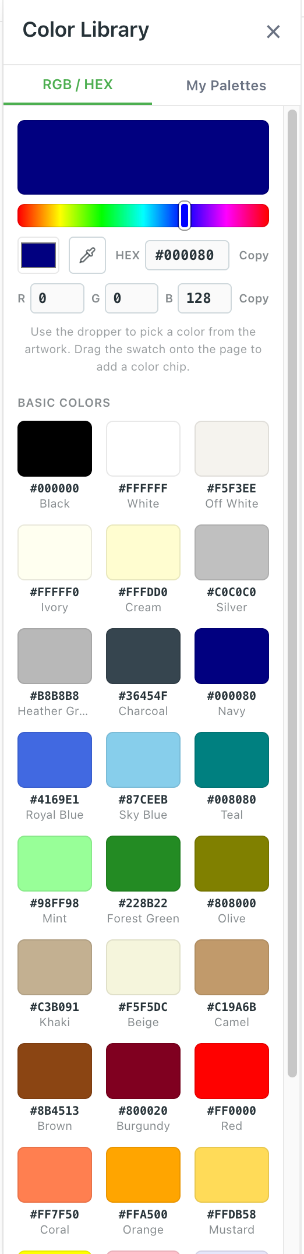
In ThreadPack, open the Color Library and choose the RGB / HEX tab.
You can:
- drag the picker or the hue bar,
- type a HEX or R, G, B value, or
- use the dropper to pick a color straight from your artwork or a photo
on the page.
Click Copy next to the HEX value.
Step 2 — Find the closest Pantone codes for that HEX
Paste the HEX into a free color-matching tool. One easy option is
PerBang.dk: open https://www.perbang.dk/rgb/ followed by your HEX without
the # — for example perbang.dk/rgb/2B2D30/.
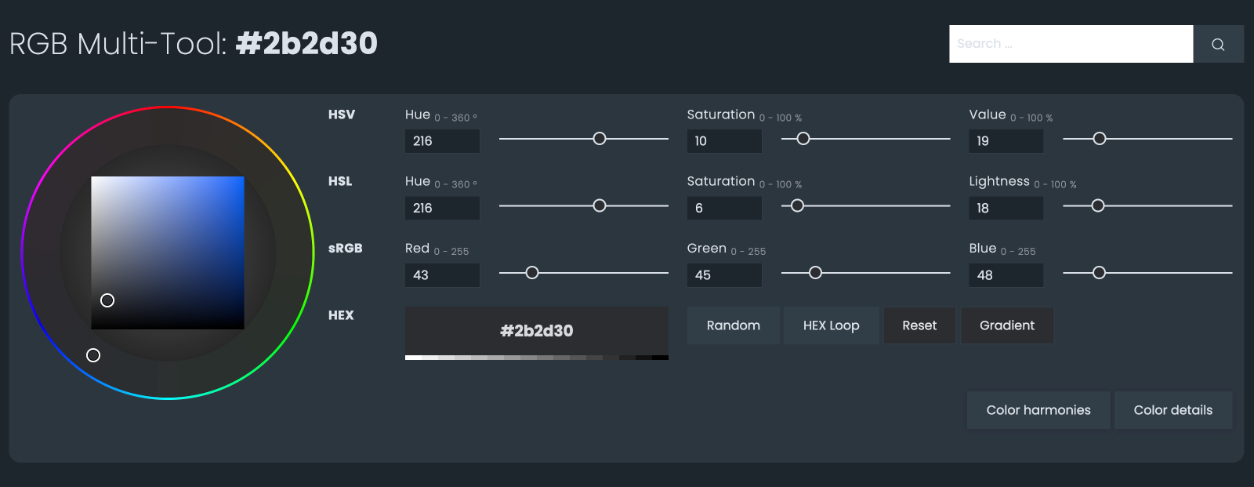
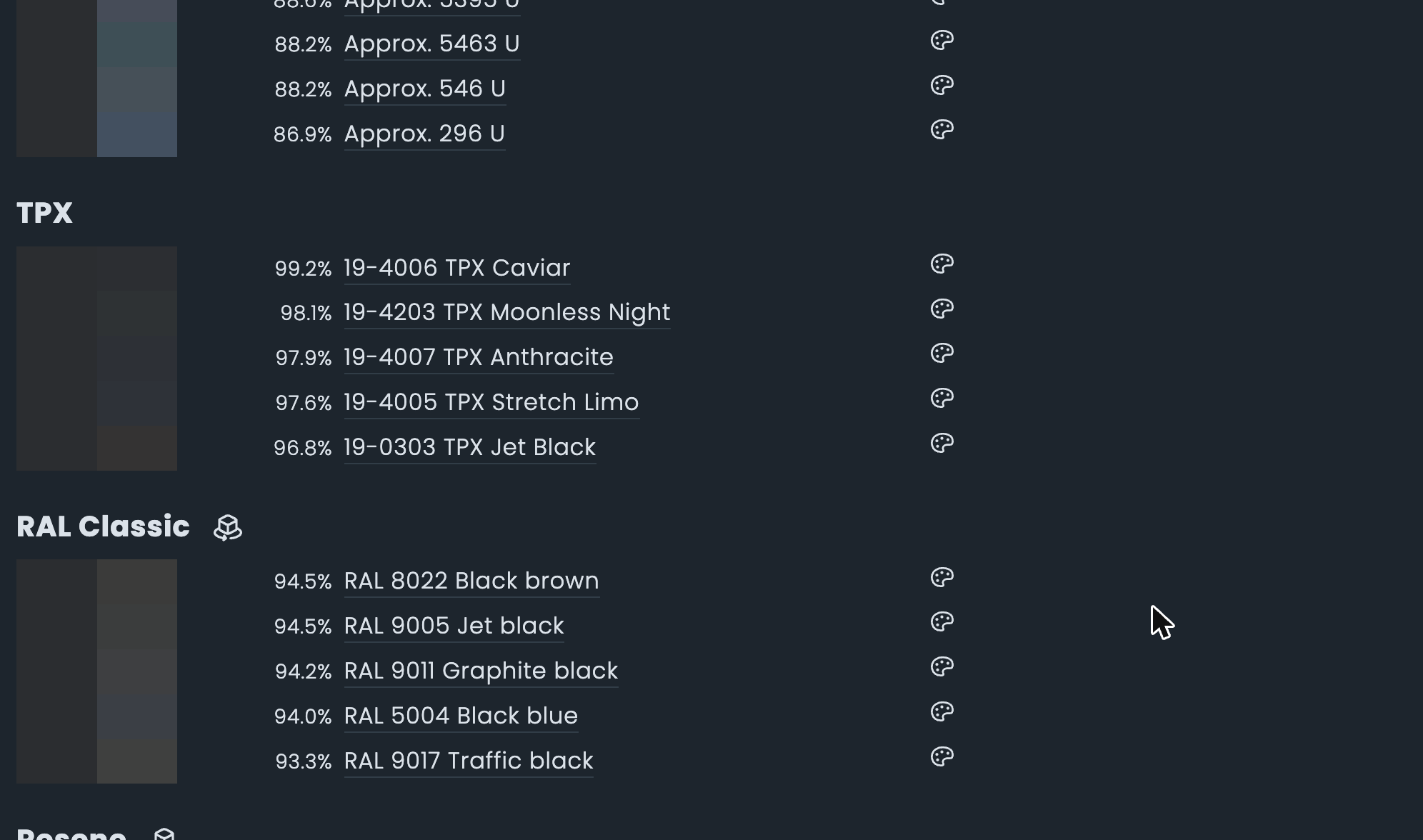
Scroll to the TPX list. It shows the five closest textile codes, each with
a match percentage.
Other free tools that do the same job:
- Pantone Connect (Pantone's own app and website) — its Convert and
Extract tools find the nearest Pantone colors for a HEX or an image. Some
of these need a Premium account.
- codeshack.io and dnschecker.org — simple "RGB to Pantone" converters.
These are third-party tools. None of them are part of ThreadPack, and none of
them (except Pantone Connect) are affiliated with Pantone.
Step 3 — TPX vs TCX: check before you send
Most free tools list TPX codes. Fabric is usually matched to TCX.
The number is often the same in both books — 19-4005 TPX and 19-4005 TCX
are the same color family — but they are different physical standards
(paper vs cotton), and a few colors exist in only one of them.
Before you send a code to your factory:
- Take the closest match (highest %) and swap the suffix to TCX.
- Check that the TCX version exists — in Pantone Connect, or in a physical
Pantone FHI Cotton swatch book if you have one.
- If two codes are close, put both in your notes and ask for lab dips of both.
Step 4 — Put it in your tech pack the right way
In your colorway or BOM, write the code, not just the HEX:
- Body:
19-4005 TCX(screen ref#2B2D30)
and add one line the factory cannot miss:
Match to the physical Pantone TCX standard. HEX values are screen references only.
That one sentence prevents the most common color mistake in sampling: a factory
matching the dye to a monitor instead of the swatch.
Browse the TCX library in Pantone Connect
Register for a free Basic account on Pantone Connect (a 7-day Premium
trial is offered too). With Basic, you can open the
PANTONE® FHI Cotton TCX library, browse every color by position in the
books, and click any chip to see its code and name (for example17-1508 TCX Silent Storm).
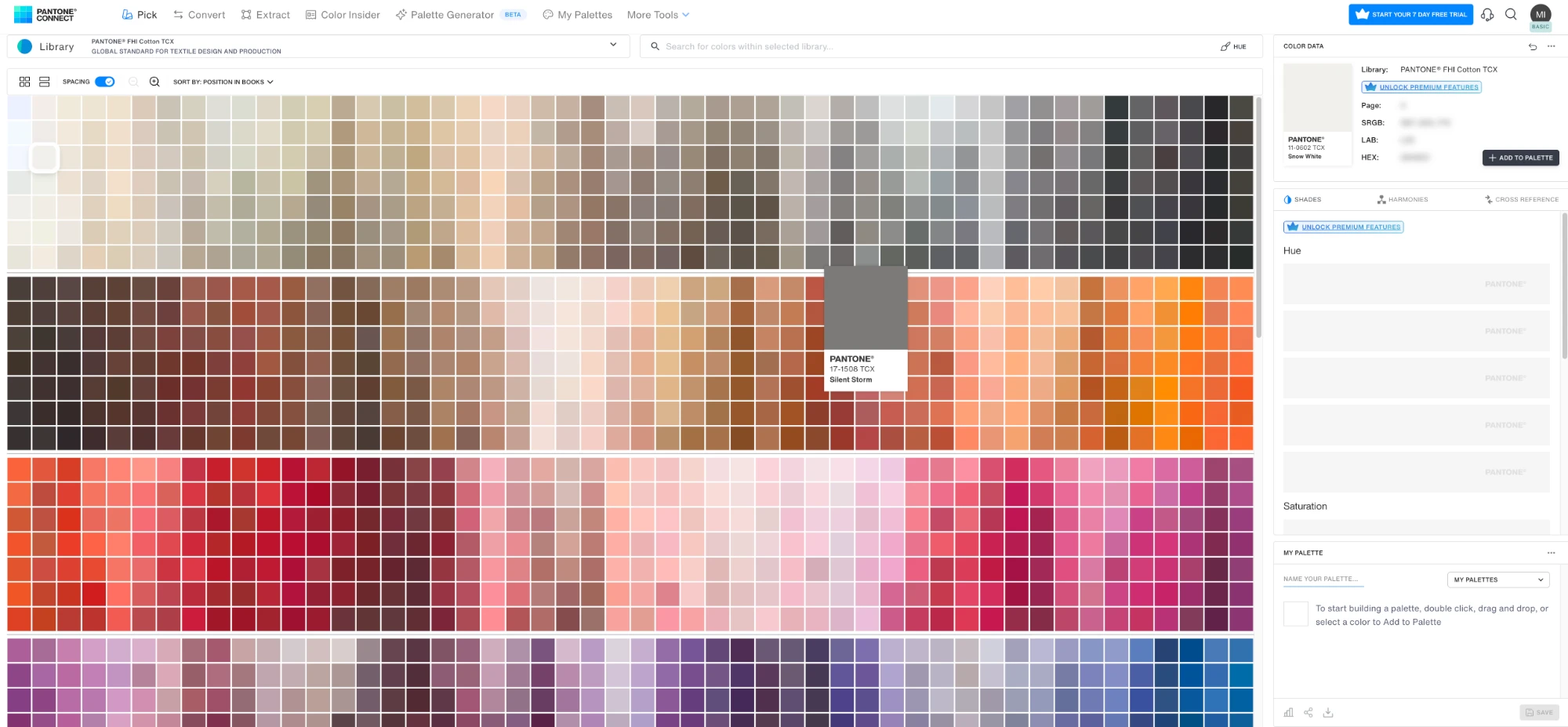
To use a color in your tech pack:
- Search the library, or browse to the color you want.
- Add it to a palette (or download the chip, if your Pantone Connect plan allows it).
- In ThreadPack, drop the chip image into your Colorways or BOM page, and type
its TCX code next to it.
On a Basic account the sRGB, LAB and HEX values are locked (they need
Premium, which you can try free for 7 days). That's fine for production: the code and
name are what your factory needs.
Going the other way: Pantone code → HEX
Already have a TCX code from your buyer and need a screen color for a mood
board or line sheet? Pantone Connect Premium shows the HEX for any code. Or
search the code on a free tool like PerBang.dk and use the closest screen
color. Keep the TCX code for production either way.
Free Color Spec Sheet (Excel)
Want a ready-made sheet for this? Download our free Tech Pack Color Spec Sheet: one row per color per colorway, with columns for the color code, the screen HEX, a swatch, the material, and the lab dip status. A Lab Dip Log sheet tracks every submission, and the factory note is already written for you.
FAQ
Is a HEX code the same as a Pantone code?
No. HEX describes a screen color. A Pantone TCX code names a physical textile
color standard. One HEX can be close to several Pantone codes, and some Pantone
colors have no exact HEX.
What is the difference between TPX and TCX?
Both are Pantone Fashion, Home + Interiors codes. TCX is printed on cotton, TPX
(and the newer TPG) on paper. For fabric dyeing, factories usually work to TCX.
Can I send only the HEX code to my factory?
It's risky. The factory may match to a screen that shows the color differently.
Send the TCX code, keep the HEX as a reference, and approve the color from a
lab dip.
Does ThreadPack include a Pantone library?
No. ThreadPack lets you pick any color by HEX or RGB, and you can type any
color code into your colorways and BOM. To find the matching Pantone code, use
one of the tools above.
*PANTONE® is a registered trademark of Pantone LLC. ThreadPack is not
affiliated with or endorsed by Pantone. Color matches from online tools are
approximate; always confirm with a physical standard.*
Free Tech Pack Color Spec Sheet (Excel)
Free — just tell us where to send it.
Explore ThreadPack
Related resources and tools to help you move faster.